

Every tool a good note needs.
Sketches, diagrams, equations, code and tables, all from the same menu. Double-click a sketch or a diagram to edit it again.
Studies made easy
Type it, say it, import it, or generate it. Nibit shapes whatever you capture into structured notes, flashcards, quizzes and podcasts, then answers questions using your own material.
Lecture 12:
photosynthesis
Quiz Friday!
ch. 4 to 6
Thermo, Lecture 4
ΔS ≥ 0 for an isolated system
equal only at equilibrium
01 Capture anything
Notebooks, chapters and pages keep everything where you can find it. Capture information however it comes, typed, spoken, imported or generated, and Nibit helps tidy it up.
Add tables, checklists, code blocks, formulas and @-mentions to any notebook, chapter or page.
Record the room or the call. Nibit transcribes every five minutes while it runs.
Drop your file in and choose how it breaks up: one page, by heading, by page, or by slide.
Give Nibit your files and it writes the notes for you.
Physiology / Cardiovascular System / The Cardiac Cycle
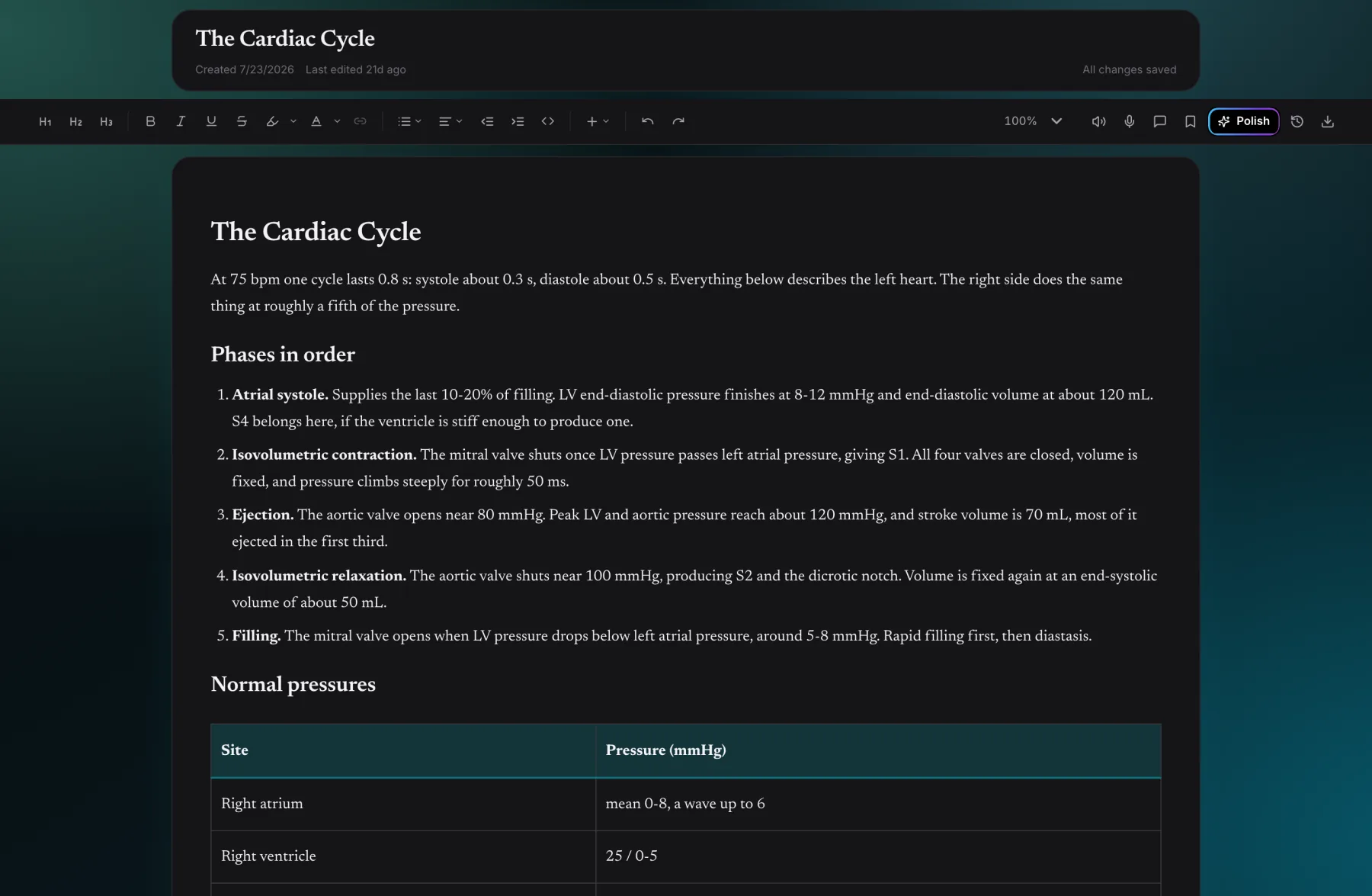
Sketches, diagrams, equations, code and tables, all from the same menu. Double-click a sketch or a diagram to edit it again.
Every five minutes while the lecture runs, Nibit transcribes what it has heard and adds the notes to the page. The recording stays on the page, ready to play, download or turn into notes.
Documents, slides, Markdown and scanned PDFs, typed or handwritten. Each one arrives shaped like the rest of your notes.
02 Shape your thoughts
Choose what to pull from, then decide what it becomes.
03 Actually revise
Rereading isn't studying. Recall is what sticks, so all three of these tools make you produce the answer before you see it.
Nibit turns a notebook, a chapter or a single page into a deck. Cards you keep getting wrong come back first.
Try it turn the card over, then mark yourself
5 cards left · 0 known
Five question types, marked as you go. Nibit grades your quiz, names your weakest topics and shows where each answer comes from.
Try it three questions, marked as you go
A 2 kg cart accelerates at 3 m/s². What net force acts on it?
Nibit walks you through the problem one hint at a time, so you learn the method. "Show answer" is always there.
Try it one hint at a time
Quadratic by factoring
Solve x² + 5x + 6 = 0
Check: (−2)² + 5(−2) + 6 = 4 − 10 + 6 = 0 and (−3)² + 5(−3) + 6 = 9 − 15 + 6 = 0
04 Plan the run-up
Your timetable, deadlines and exams live on one calendar. Give the planner an exam date and it fills the weeks before with what you don't know yet.
Exam week
Mon
09:00 Physics lecture
16:00 Learn: Entropy
Tue
17:00 Practice: Kinematics
missed it
Wed
09:00 Physics lecture
17:00 Practice: Kinematics rolled forward
Thu
12:00 Lab report due
18:00 Review: Waves
Fri
15:00 Learn: Heat engines
19:00 Timed mock
Sat
09:00 Physics exam
Sun
rest
Drop in a timetable, syllabus, exam schedule or .ics file, even a photo. Nibit proposes the classes, deadlines and exams for you to review.
Pick the date and Nibit plans learn, practice and review sessions around your weakest topics. Miss one and it rolls forward.
05 Ask your notes
Ask from any screen, or type @ to point at a specific note, chapter or notebook. Answers cite your own pages, and say so when they go beyond them.
Looking for a page rather than an answer? ⌘K or CtrlK searches every page, imported document and generated note you own.
06 Share it
Pick one friend or a whole study group. Shared pages stay live, so what they open is your latest version, never a copy going stale in a downloads folder.
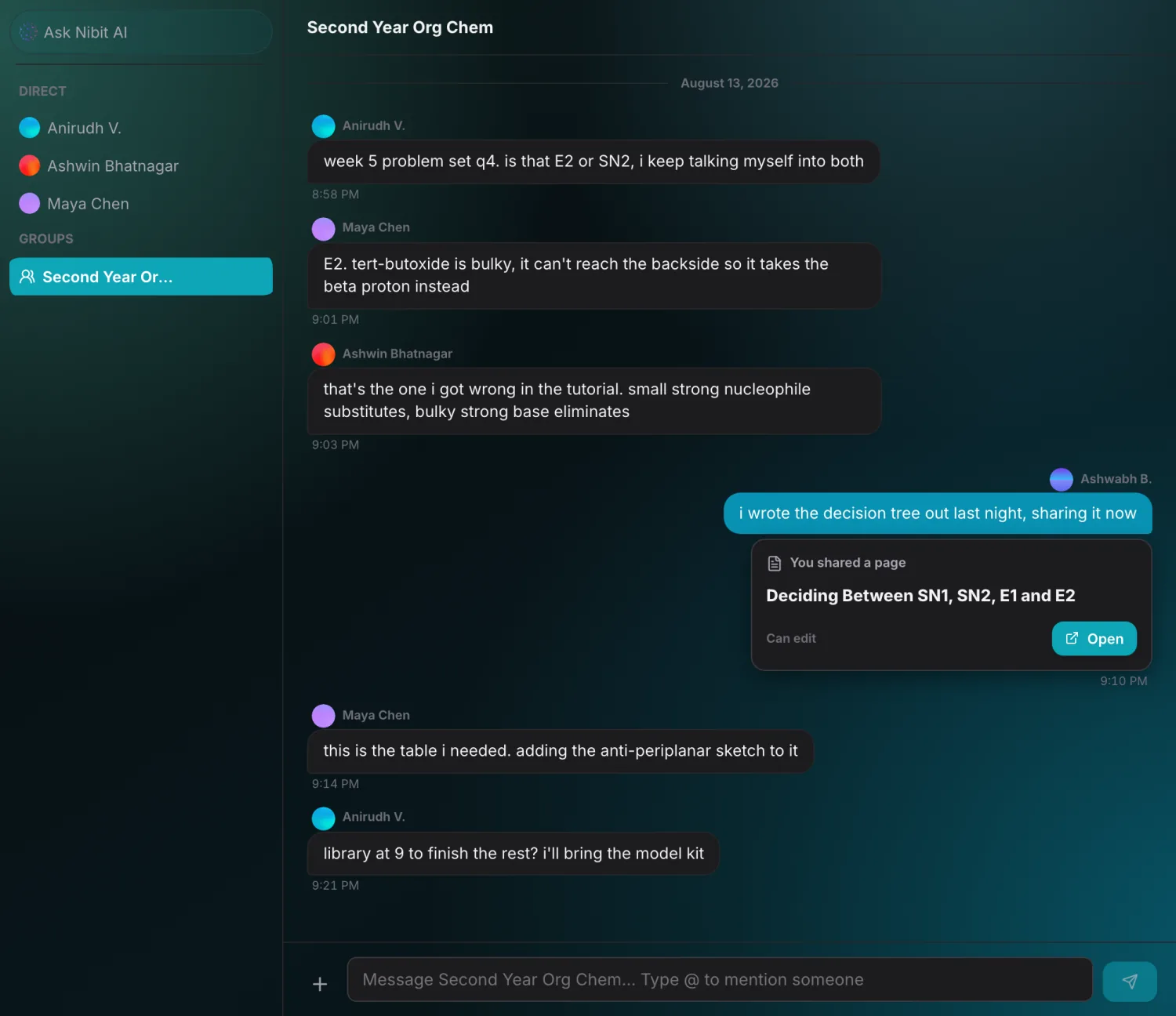
Invite people by username, group them, and talk alongside your notes. No feed, no follower count, no algorithm.
Groups share, not just chat.
Sharing cascades. Share a notebook and every chapter and page inside comes too, even pages you add later.
Access ends, copies stay. Take access back and it ends at once, except for a copy someone already saved to their own account.
07 Make it yours
Four Worlds, each with its own type, icons and little celebrations. Or keep it calm with twelve palettes and six illustrated wallpapers. Every one comes in light and dark, and the whole workspace follows.
08 Offline & sync
Lose the connection mid-lecture and keep typing. Your edits stay in the app until you're back online, then Nibit syncs them to your account automatically.
Any page you have open keeps working with no connection. Read it, edit it, and the changes sync the moment you're back.
There is no offline mode to remember. Lose Wi-Fi mid-lecture and the app carries on.
Your account carries your notebooks, settings and preferences across operating systems, browsers and devices.
Lecture 4: Entropy
All changes saved
09 Pricing
Writing, organising, search and sharing are free for good. Free carries a weekly allowance of the AI features, and Pro removes the limits entirely.
$0/ mo
The full notebook, and a weekly allowance of the AI features.
Open the web app$12/ mo
Unlimited AI with no usage meters. Full-length lectures included.
Choose Pro| What you get | Free | Pro |
|---|---|---|
| Notebooks, chapters & pages | Included | Included |
| Version history | Included | Included |
| Sharing & groups | Included | Included |
| Questions & quick assists | 5 / week | Unlimited |
| Notes, polish, flashcards & quizzes | 1 / week each | Unlimited |
| Study plans | 1 / week | Unlimited |
| Study sessions | 5 / week | Unlimited |
| AI imports, including syllabus & calendar | 1 / week, shared | Unlimited |
| YouTube video length | Up to 30 min / video | Up to 4 hrs / video |
| Read Aloud | 10 min / week | Unlimited |
| Recording & transcription | 20 min / week | Unlimited |
| AI podcasts | Not included | Unlimited |
Prices in USD excluding VAT, sales tax or GST, billed monthly. Tax is added at checkout at the rate for your country and shown in the total before you pay. Cancel any time. Free limits reset every Monday. Unlimited features have no usage meters, and include fair-use protections against automated abuse.